
- Login to your Pro Agent Solutions account and go to CONTACTS>>MY CONTACTS

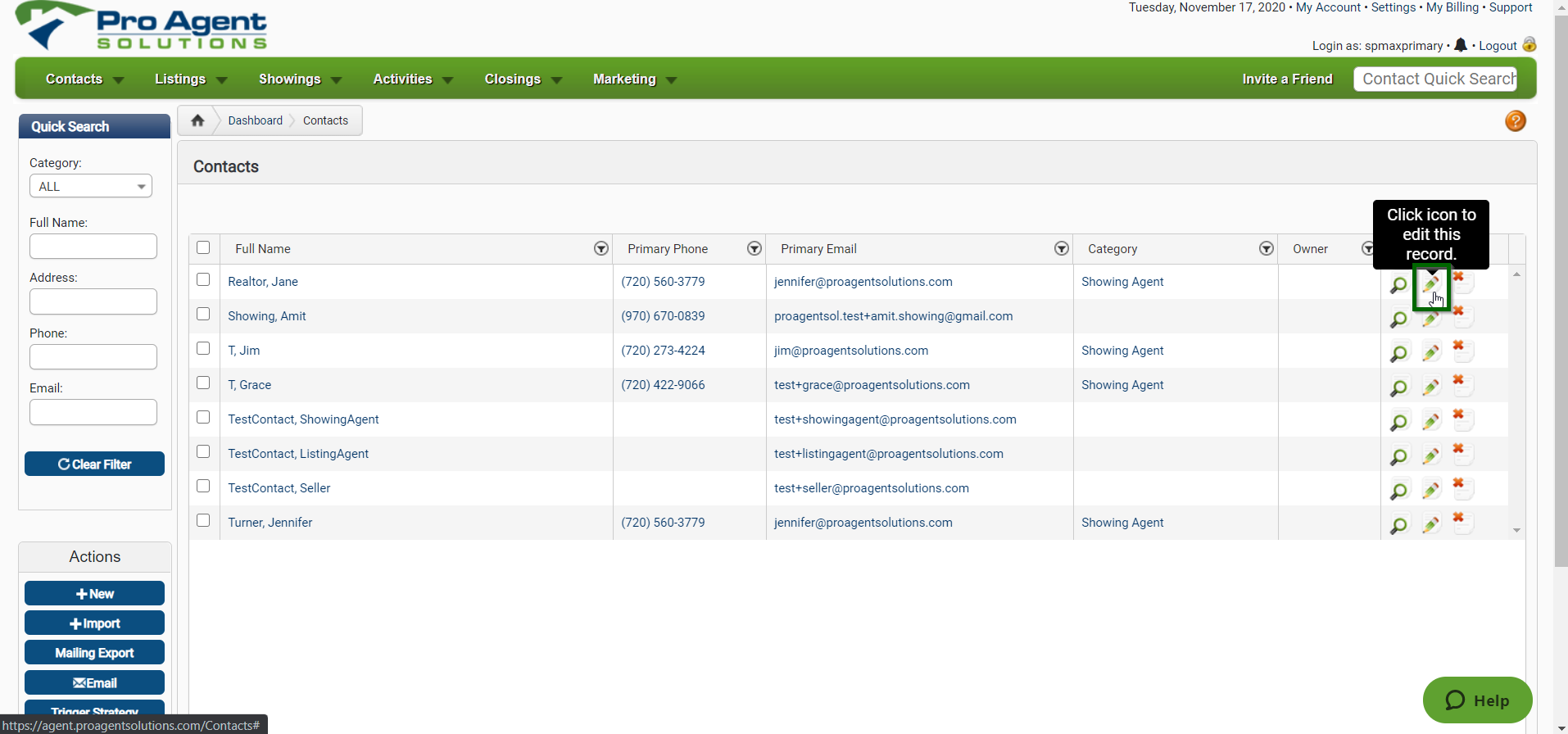
- Select the Pencil Icon to the right of the Contact to open the EDIT CONTACT screen
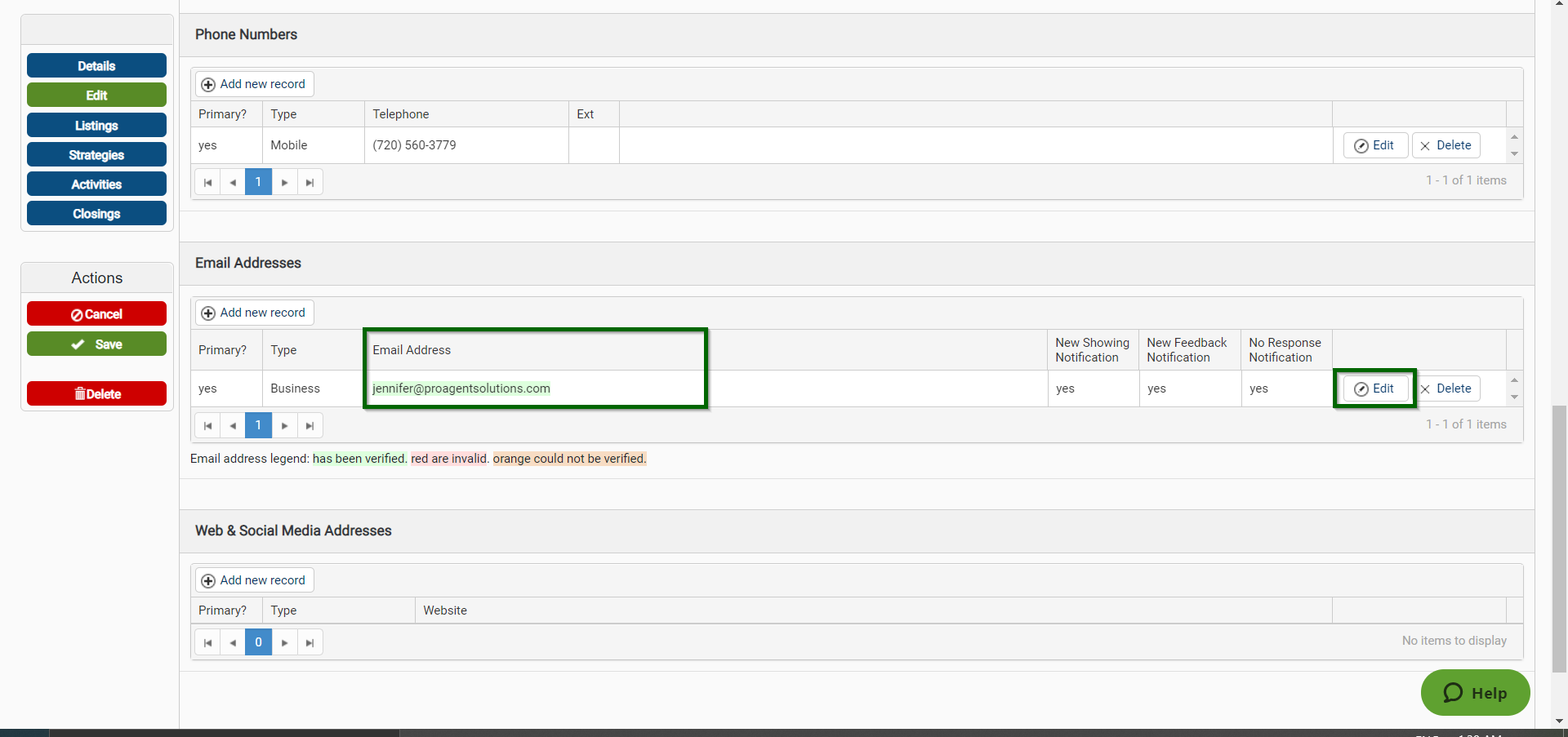
- Scroll down to the Email Address portion, click the Edit button first, and then enter the correct/updated Email Address
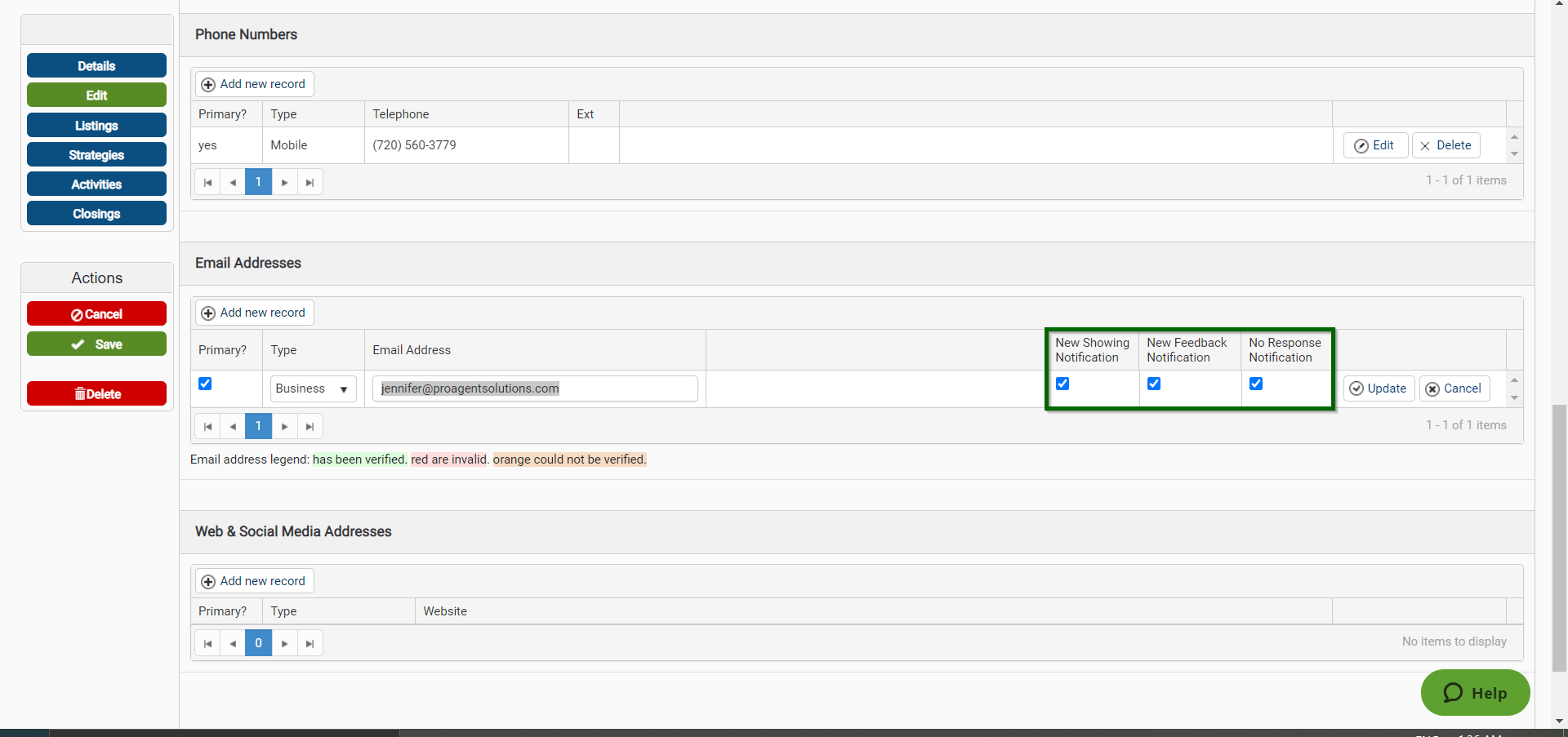
- Turn ON (check) the Notifications you want them to receive
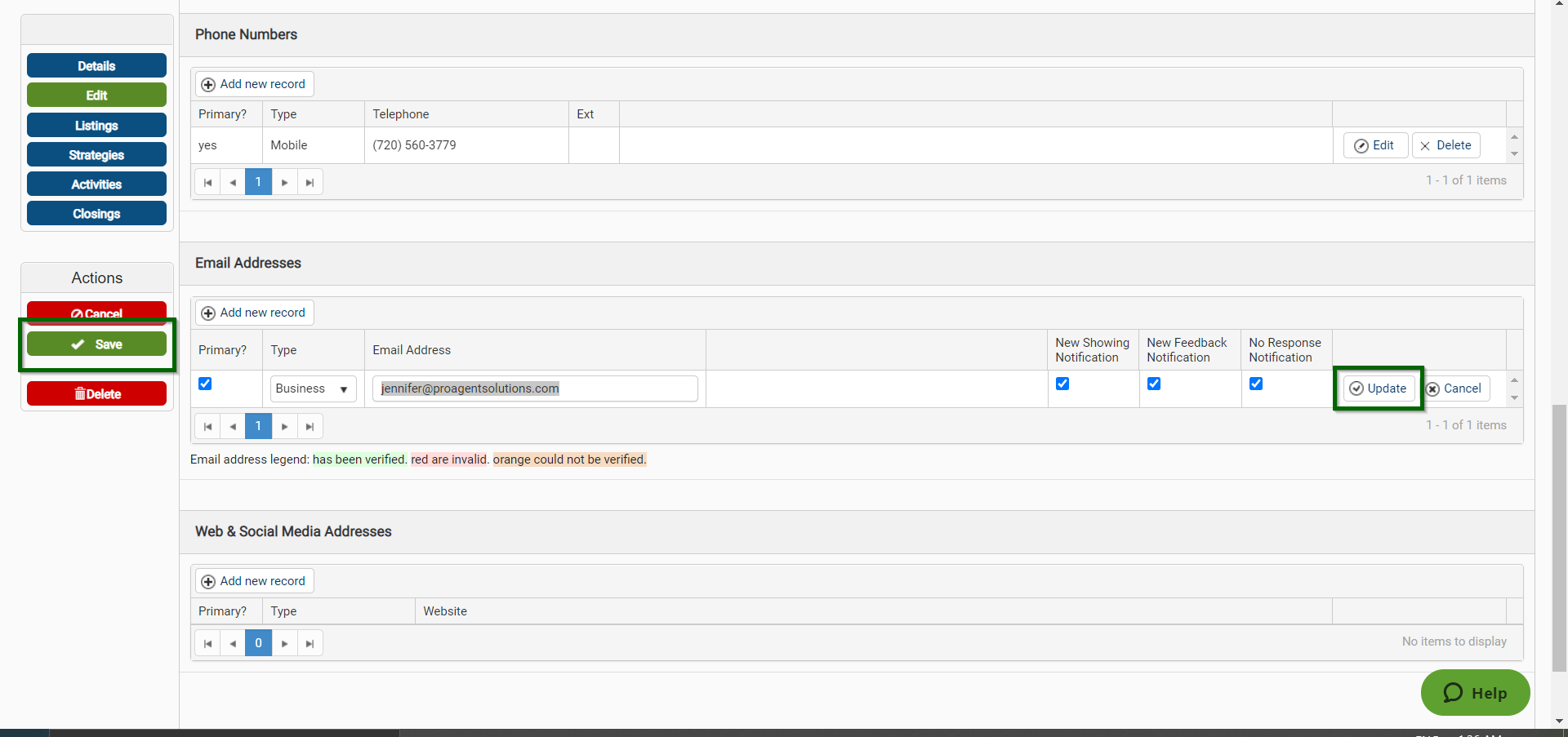
- Click on the Update button first and then the green SAVE button to the right to save the information
Comments
0 comments
Please sign in to leave a comment.